
๐ŸŒ Global Mirror โ€” Visit original CN site โ†’
Skip to main content

Weave Overview

Weights & Biases (W&B) Weave is a framework for tracking, experimenting with, evaluating, deploying, and improving LLM-based applications. Overview of W&B Weave CrewAI tracing usage Weave provides comprehensive support for every stage of your CrewAI application development:
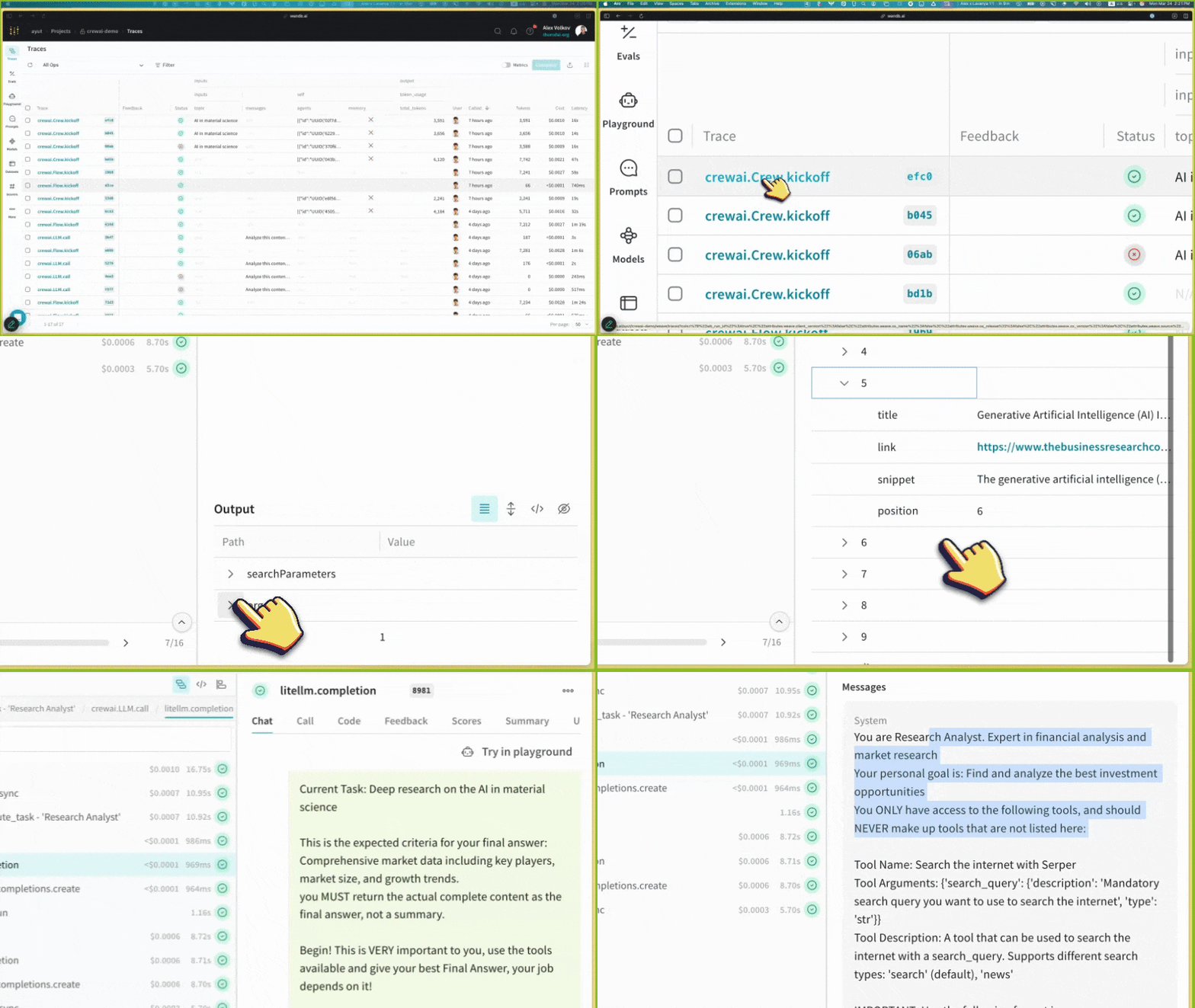
  • Tracing & Monitoring: Automatically track LLM calls and application logic to debug and analyze production systems
  • Systematic Iteration: Refine and iterate on prompts, datasets, and models
  • Evaluation: Use custom or pre-built scorers to systematically assess and enhance agent performance
  • Guardrails: Protect your agents with pre- and post-safeguards for content moderation and prompt safety
Weave automatically captures traces for your CrewAI applications, enabling you to monitor and analyze your agentsโ€™ performance, interactions, and execution flow. This helps you build better evaluation datasets and optimize your agent workflows.

Setup Instructions

1

Install required packages

pip install crewai weave
2

Set up W&B Account

Sign up for a Weights & Biases account if you havenโ€™t already. Youโ€™ll need this to view your traces and metrics.
3

Initialize Weave in Your Application

Add the following code to your application:
import weave

# Initialize Weave with your project name
weave.init(project_name="crewai_demo")
After initialization, Weave will provide a URL where you can view your traces and metrics.
4

Create your Crews/Flows

from crewai import Agent, Task, Crew, LLM, Process

# Create an LLM with a temperature of 0 to ensure deterministic outputs
llm = LLM(model="gpt-4o", temperature=0)

# Create agents
researcher = Agent(
    role='Research Analyst',
    goal='Find and analyze the best investment opportunities',
    backstory='Expert in financial analysis and market research',
    llm=llm,
    verbose=True,
    allow_delegation=False,
)

writer = Agent(
    role='Report Writer',
    goal='Write clear and concise investment reports',
    backstory='Experienced in creating detailed financial reports',
    llm=llm,
    verbose=True,
    allow_delegation=False,
)

# Create tasks
research_task = Task(
    description='Deep research on the {topic}',
    expected_output='Comprehensive market data including key players, market size, and growth trends.',
    agent=researcher
)

writing_task = Task(
    description='Write a detailed report based on the research',
    expected_output='The report should be easy to read and understand. Use bullet points where applicable.',
    agent=writer
)

# Create a crew
crew = Crew(
    agents=[researcher, writer],
    tasks=[research_task, writing_task],
    verbose=True,
    process=Process.sequential,
)

# Run the crew
result = crew.kickoff(inputs={"topic": "AI in material science"})
print(result)
5

View Traces in Weave

After running your CrewAI application, visit the Weave URL provided during initialization to view:
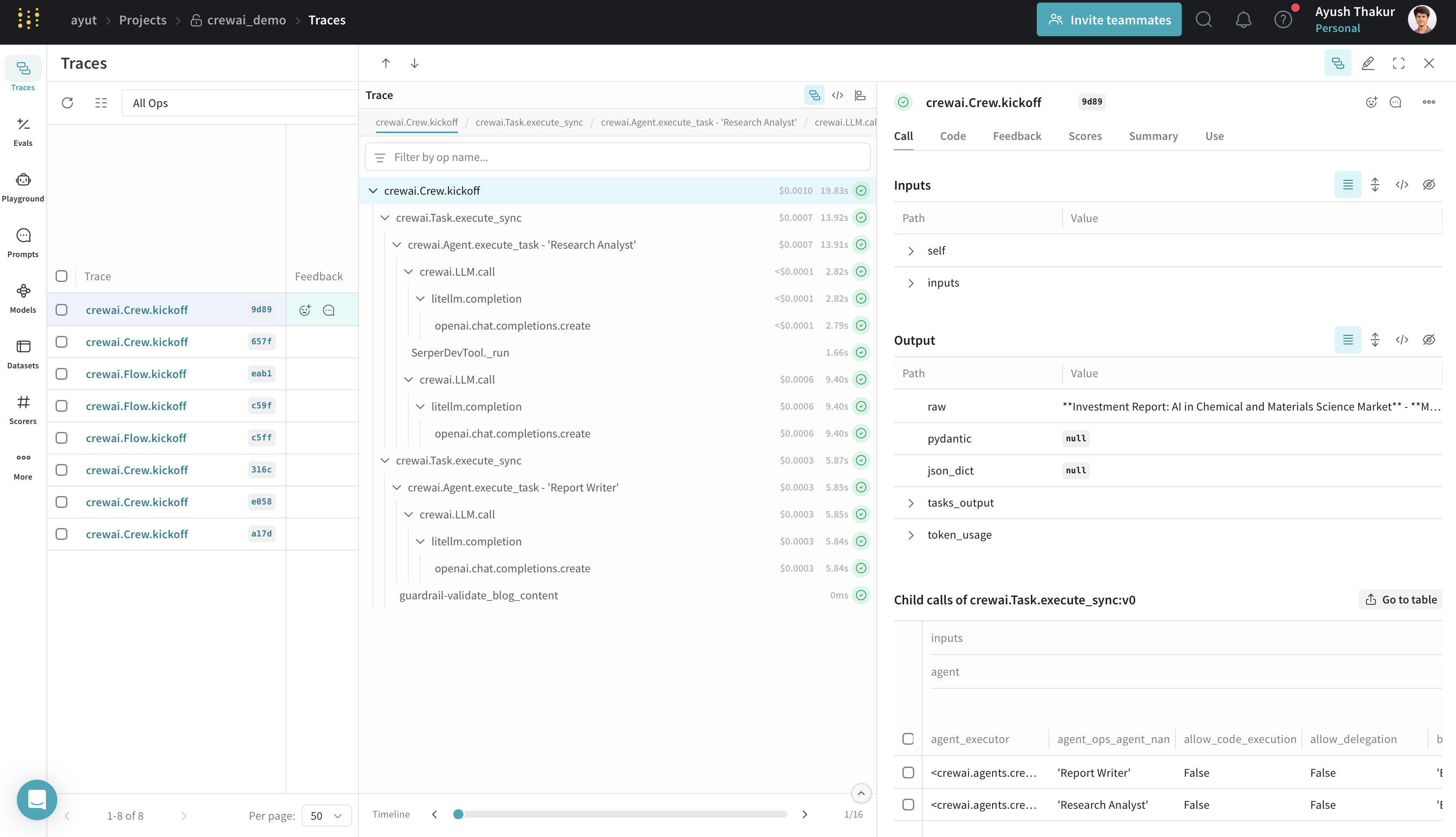
  • LLM calls and their metadata
  • Agent interactions and task execution flow
  • Performance metrics like latency and token usage
  • Any errors or issues that occurred during execution
Weave tracing example with CrewAI

Weave Tracing Dashboard

Features

  • Weave automatically captures all CrewAI operations: agent interactions and task executions; LLM calls with metadata and token usage; tool usage and results.
  • The integration supports all CrewAI execution methods: kickoff(), kickoff_for_each(), kickoff_async(), and kickoff_for_each_async().
  • Automatic tracing of all crewAI-tools.
  • Flow feature support with decorator patching (@start, @listen, @router, @or_, @and_).
  • Track custom guardrails passed to CrewAI Task with @weave.op().
For detailed information on whatโ€™s supported, visit the Weave CrewAI documentation.

Resources

Overview of W&B Weave CrewAI tracing usage
Weave tracing example with CrewAI